A smart robot dog can be a playful companion, a hands-on learning tool, or a small interactive device for a family room. The right choice depends less on flashy claims and more on how it will be used. Will it entertain a child with tricks, respond to voice commands, or offer programmable features for a curious teenager? Those needs point to different models, even when the products look similar in photos.
Look closely at age guidance, controls, battery life, durability, and the features available without a subscription. A robot that walks smoothly across a clear floor may struggle on a thick rug. A bright display can attract attention, but it does not guarantee useful interaction. Small details count. Check whether replacement parts are available and whether setup requires a phone or account. These practical checks help separate a convenient toy from one that may frustrate its owner after a week. There is no perfect pick. I may be giving everyday usability more weight than novelty, but that trade-off often matters once the first excitement fades. Comparing clear specifications with realistic expectations can make the decision more confident and keep the robot dog suited to the person who will actually use it.
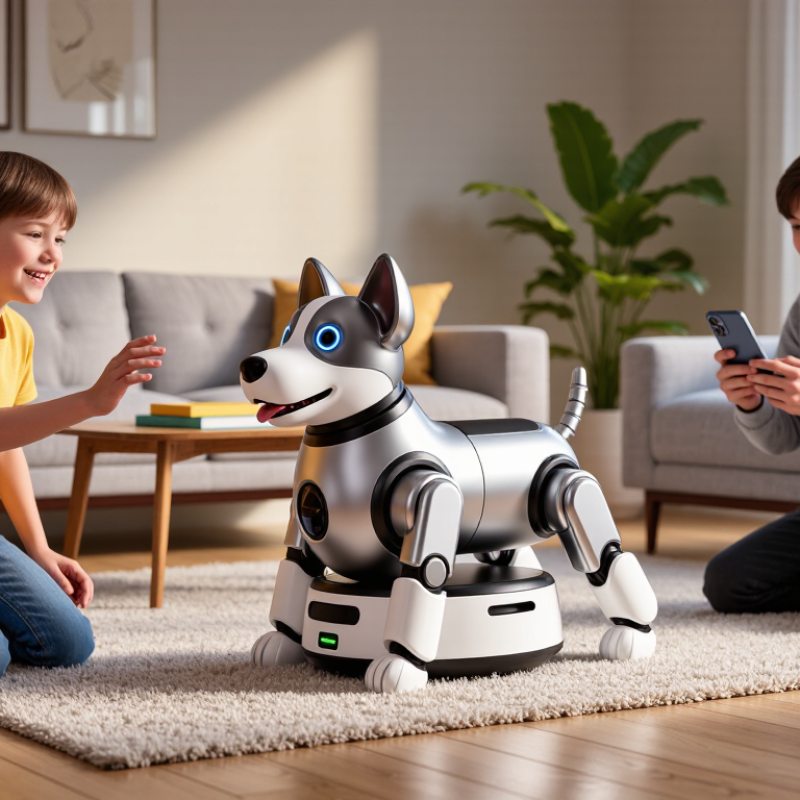
Define the Capabilities and Limits of Smart Robot Dogs
Smart robot dogs can follow voice commands, track movement, avoid some obstacles, and perform simple routines. Their abilities depend on sensors, software, room layout, and battery condition. A clear floor helps. Loose charging cables or dark rugs may confuse basic vision systems. Small details matter.
Think about the tasks you actually want. A robot that patrols a hallway may support scheduled movement and alerts, but it is not a dependable security guard. It cannot judge every unusual sound or identify every visitor correctly. For play, check whether its movements are gentle around children and pets. A moving tail is charming. It does not prove safe interaction. Keep expectations modest.
These devices also need care. Dust on sensors, low batteries, and rearranged furniture can affect navigation. Some models need a phone connection or regular software updates, so consider who will maintain them. Ask how long a typical session lasts and whether replacement parts are available. Check the return policy, too. A practical test is to try basic commands in the room where the robot will live, not just on an empty showroom floor. Results may vary at home. The technology is improving, but it still benefits from supervision and patient setup.
How to Choose the Best Smart Robot Dog for Your Needs — Capabilities and Limits
| Capability | What It Can Typically Do | Important Limits | What to Check Before Buying |
|---|---|---|---|
| Walking and movement | Walk on level floors, turn, sit, and negotiate some small obstacles, depending on the design. | Stairs, loose gravel, slippery floors, deep grass, and uneven outdoor terrain can be difficult or unsafe. | Check the permitted surfaces, obstacle clearance, turning space, and whether supervised stair use is prohibited. |
| Vision and obstacle sensing | Cameras and other sensors may help the robot detect nearby objects, follow routes, or avoid obstacles. | Performance can fall in poor lighting, crowded spaces, reflective environments, or when sensors are blocked. | Review the sensor types, operating-light conditions, obstacle-avoidance behavior, and privacy settings. |
| Voice and gesture response | Some models respond to a defined set of voice commands, gestures, or control-app inputs. | Recognition may be affected by background noise, distance, accents, or unsupported commands; responses are not human understanding. | Look for the supported languages and commands, microphone controls, and whether an internet connection is required. |
| Autonomous routines | Depending on the model, it may perform programmed actions, patrol a defined area, or return to a charging point. | Autonomy is generally limited to supported tasks and environments. It may need supervision and can make navigation errors. | Confirm which routines work without an app or network and how the robot behaves when a route is blocked. |
| Interaction and learning | It may respond to touch, play sounds, perform expressive movements, or remember limited preferences and routines. | These behaviors are programmed or software-driven; they do not indicate emotions or animal-like understanding. | Check which interactions are included, whether features require a subscription, and what data is stored. |
| Battery and charging | A rechargeable battery powers movement, sensing, and connected features; some models support automatic docking. | Actual operating time varies with movement, terrain, battery age, temperature, and feature use. Charging interrupts use. | Compare stated runtime with the intended activity, charging time, battery replacement options, and dock requirements. |
| Payload and physical handling | Some robots can carry small, specifically approved accessories or equipment. | They are not designed to carry people, heavy loads, or items beyond the stated payload. Added weight can affect balance and battery life. | Check the manufacturer-stated payload, mounting points, and restrictions on use while carrying accessories. |
| Weather and durability | Construction varies: some models are intended for indoor use, while others may tolerate limited outdoor conditions. | Water resistance is not the same as waterproofing. Dust, rain, heat, cold, and impacts can damage components. | Verify the ingress-protection rating, temperature range, and care instructions; do not assume outdoor suitability. |
| Connectivity and control | Control may be available through a remote, mobile app, or wireless connection, with feature availability varying by model. | Some functions may depend on a compatible phone, Wi-Fi, Bluetooth, cloud services, or continued software support. | Check device compatibility, offline functions, account requirements, update policy, and how to operate it if connectivity fails. |
| Safety and supervision | Sensors, speed limits, and emergency-stop controls can reduce some risks during operation. | A moving robot can collide with people, pets, or objects. Sensors and automatic stopping are not guaranteed to prevent every accident. | Review age guidance, emergency-stop access, safe operating area, and supervision requirements, especially around children and pets. |
| Maintenance and support | Routine care may include cleaning sensors, checking moving parts, charging correctly, and installing software updates. | Gears, joints, batteries, and sensors can wear or require repair; parts and support availability differ by product. | Check warranty terms, repair options, replacement-part availability, software-support period, and ongoing costs. |
Note: Capabilities vary by model and software version. Treat specifications as product-specific, and follow the operating and safety instructions supplied with the robot.
FAQS
It can follow voice commands, track movement, avoid some obstacles, and perform simple routines. Not every time. Results depend on its sensors, software, room layout, and battery condition.
No. Scheduled movement and alerts may be useful, but it cannot judge every unusual sound or identify every visitor correctly. Keep expectations modest.
Clear floors help. Loose charging cables, dark rugs, thick rugs, narrow hallways, and stairs may challenge navigation. Rearranged furniture can matter, too.
Check the age guidance and whether its movements are gentle. A moving tail proves little. Supervise early interactions, especially around pets.
Try basic commands in the room where it will live, using similar flooring. A showroom floor can mislead. Check the controls and routines you expect to use.
Write down three tasks you want it to perform. For companionship, consider predictable behavior, adjustable volume, and easy controls. For learning, check the instructions and activities.
Dust on sensors, low batteries, and changed furniture can affect navigation. Some models need a phone connection or software updates. Someone must maintain it.
Ask about typical session length, replacement parts, support information, and the return policy. Useful routines may matter more than flashy tricks. I may still overestimate how often a novelty gets used.
Conclusion
Choosing the best smart robot dog begins with understanding what these devices can and cannot do. Consider the intended user and daily tasks, such as companionship, play, basic assistance, or interactive learning. Then compare practical features: how the robot moves, what its sensors detect, how naturally it responds, and whether it can adapt its behavior over time. A close match between these capabilities and your expectations will help avoid paying for features you do not need.
Before deciding, assess safety, privacy, durability, and compatibility with your home or other devices. Look for clear controls, dependable construction, and data practices you are comfortable with. Finally, compare the full cost—including any ongoing expenses—with the features that matter most to you. The right choice is not necessarily the most advanced model, but the smart robot dog that fits your needs, environment, and budget.